Swift Charts is not rendering the gradient incorrectly. It is resolving the gradient in a different coordinate space than you probably expected.
The practical fix is alignsMarkStylesWithPlotArea(_:).
The Animation type in SwiftUI describes the timing curve for a value change, controlling how quickly a value moves toward its destination and whether it overshoots before settling. We can apply it to a specific view using the animation(_:value:) modifier, or wrap a state change in withAnimation(::) to animate all affected views at once.
A blurry video stream is not fixed by simply adding a sharper filter.
Real on-device video quality enhancement has a harder constraint: every decoded frame must be enhanced before the next frame arrives. At 60 fps, the system has about 16 ms per frame for decoding, enhancement, rendering, UI work, and synchronization. If the app copies each frame into CPU memory, converts formats, runs a model, then copies it back to the GPU, the feature may look good in a demo and still fail in production.
The important idea is this: on-device video enhancement is a frame pipeline problem first, and an AI model problem second.
Unfortunately, within Apple’s persistence framework ecosystem, this experience is mainly reflected in SwiftData. The large and stable Core Data ecosystem, which still powers many complex applications, has not received the same level of native integration. To bring the convenience of modern Swift features to this long-standing persistence framework, I recently explored and implemented Observation support in Core Data Evolution(CDE), giving NSManagedObject property-level precise observation capabilities.
This article discusses the motivation behind this feature, how to use it, its implementation approach, the engineering challenges involved, and some of the trade-offs made during development.
Learn how to add haptic feedback to SwiftUI apps using the sensoryFeedback modifier and explore common and lesser-known feedback styles that make interactions more engaging.

A couple of days ago I ran into a really interesting use case: I wanted to protect a method from being called more than once at a time. You might think "actor, done" — but nope, an actor won't save you here.
Because of actor reentrancy, the moment your method hits an await and suspends, another task can sneak in and start running the same method.
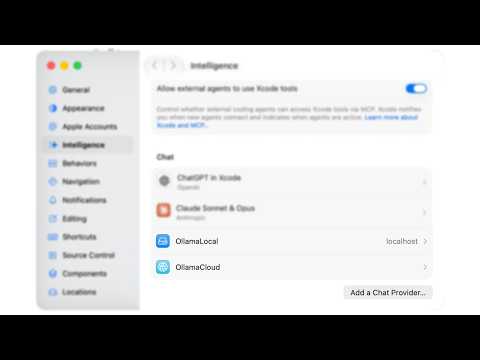
I handed Xcode a task three months ago and walked to the kitchen for coffee. When I came back, the build was green, two files I hadn’t named were edited, and a test I’d forgotten existed was passing again. I sat down, read the diff, and reverted half of it.
That’s the honest shape of the last three months. The agent built into Xcode 26.3 is genuinely good at a specific kind of work, genuinely bad at another, and the gap between those two is exactly where you earn your keep now. This is a field report, not a launch-day hot take — three months of real work on VinylCrate, the wins and the reverts both.
Result builders (formerly known as function builders) are a powerful Swift feature that enables you to create elegant domain-specific languages (DSLs). They're the magic behind SwiftUI's declarative syntax and can be used to build your own custom DSLs. This is an advanced Swift feature (requires Swift 5.4+; platform availability depends on the APIs you use, such as SwiftUI). Familiarity with generics and protocols is recommended.
Join the Mobile Signal Talent Directory and make your profile visible to hiring teams searching for iOS talent.